How to Get HoHo Hub Key?
If HoHo Hub asks for a key when you run it, the process is usually simple: copy the key link, open it in your browser, complete the verification checkpoints, and paste the generated code back into HoHo Hub.
The key page may use Linkvertise or LootLabs, and its buttons can change over time. This guide covers the usual process and common key errors.
What Is the HoHo Hub Key?
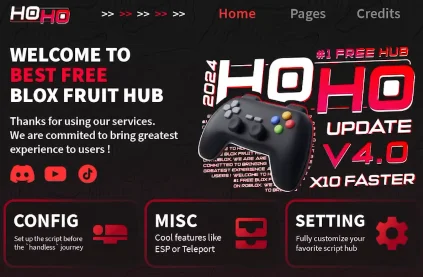
A HoHo Hub key is a temporary access code that unlocks the script’s main interface. After running HoHo Hub through a compatible Roblox executor, you normally see a Get Key button and a field for entering the final code.
The verification system helps the developer control access and earn revenue through shortlink advertising. It may use Linkvertise or LootLabs, both of which are link-monetization platforms.
Before starting, check your browser, internet connection, and clipboard. Never use a key page that asks for your Roblox password, browser cookie, payment details, or an unknown software download.
How to Get HoHo Hub Key
1. Run the Script
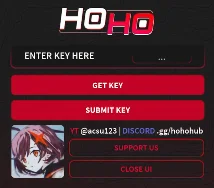
Open your executor, load the HoHo Hub script, and run it. Wait for the key window to appear. You should see a key box and a button labelled Get Key or something similar.
2. Copy the Key Link
Tap Get Key. The key-generation URL is usually copied to your clipboard automatically.
When nothing appears to happen, check the executor console. Some executors display the URL there instead. Copy the complete address without changing it.
3. Open the Link
Leave Roblox temporarily and open Chrome, Safari, or another trusted browser. Paste the copied URL into the address bar and load the page.
Wait for the page to open fully. Avoid random download buttons, browser extensions, notification requests, or unrelated offers.
4. Complete the Initial Verification
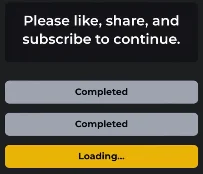
The website may show a CAPTCHA, progress counter, or several on-page tasks. Complete each visible requirement and return to the original page when an advertising tab opens.
Older tutorials may show clicks, ads, or several prompts. These requirements can change, so follow the current page rather than expecting it to match an old video exactly.
5. Choose Linkvertise or LootLabs
The key page may let you select Linkvertise or LootLabs, although sometimes only one service appears.
Linkvertise commonly uses buttons such as Continue or Get Link, along with countdown pages. LootLabs may use Start and Unlock Content. Neither service is always faster because the experience can vary by browser, device, and location.
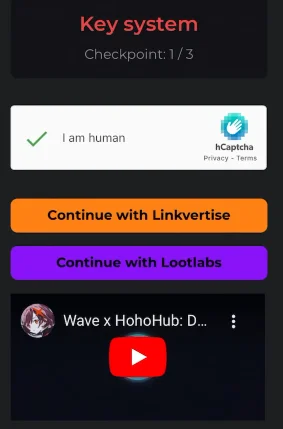
6. Finish Every Checkpoint
Continue until all checkpoints are marked as complete. Several tutorials show three rounds, but the exact number can change.
You may need to wait for a countdown, close an extra tab, return to the main page, and press the next button. Avoid “key bypass” tools because they may redirect you to fake pages or collect personal information.
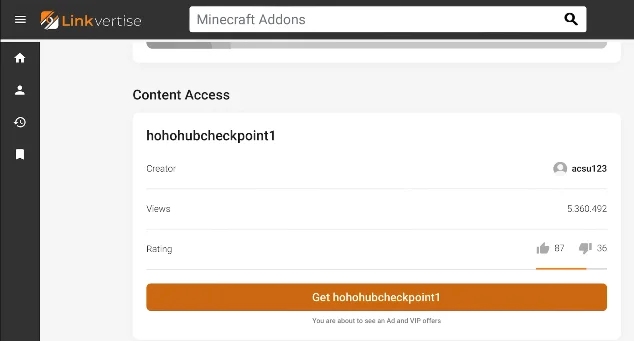
7. Generate the Key
After finishing every task, return to the main key page. Select Get New Key, Generate Key, or Renew, depending on the current wording.
Copy the complete code that appears. Check that you have not included spaces before or after it.
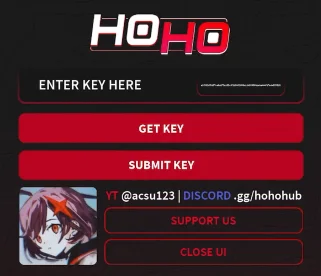
8. Submit the Key
Return to Roblox and reopen the HoHo Hub key menu. Paste the code into the key field and select Submit Key or Enter Key.
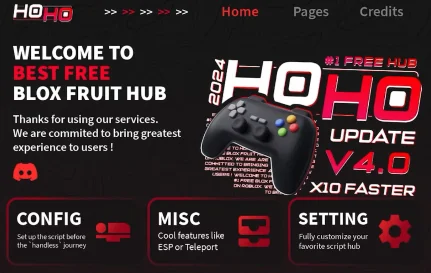
If the code is active, the main HoHo Hub interface should open.
How Long Does a HoHo Hub Key Last?
HoHo Hub key lasts around 24 hours. However, the duration may change when the key system is updated.
Once your key expires, repeat the process to generate a new one. Also repeating the verification extends the key to 48 hours, but this is not consistent. It is safer to treat the code as temporary.
HoHo Hub Key Not Working?
Generate a fresh key first because the old one may have expired. Copy it again and remove any accidental spaces.
Make sure every checkpoint was completed. A code may appear but remain inactive when one task is skipped. You can also restart Roblox, rerun the script, or reopen the executor.
An outdated script may reject a valid key. Be cautious when searching for updates because fake script and executor pages can distribute unwanted software.
Is HoHo Hub Safe?
HoHo Hub is a third-party script and is not an official Roblox feature. Roblox says that cheating and exploiting violate its rules and advises users to play through the official, unmodified Roblox application. Using scripts or executors may lead to account restrictions.
Never share your password, login code, authentication cookie, or personal information with a key page. Roblox’s account safety guide warns users about hacks or tricks that request account details.
You can also review the official Roblox Community Standards before using any third-party tool.
Frequently Asked Questions
Run the script and tap Get Key. The URL should be copied automatically. Check the executor console if it is not in your clipboard.
Many tutorials show three checkpoints, but the number may change.
It may have expired, been copied incorrectly, or been generated before all verification tasks were completed.
Yes, when LootLabs appears as an option on the current key page.
Final Words
To get a HoHo Hub key, run the script, copy the key link, complete every verification task, generate the code, and paste it into the HoHo Hub menu.
Since key pages change regularly, button names and checkpoint numbers may differ from older tutorials. Stay careful around ads, avoid suspicious downloads, and remember that third-party scripts can put your Roblox account at risk.